Anime Crusaders X Cosmetics and Unit Colors
Find skins for your characters, change unit range-circle colors, and share a look in Anime Crusaders X.
Open Collection and select a compatible character to preview and equip a skin. For a range-circle color, open AoE Color and choose Use Color or Equip to Team. Share an outfit through a code or Copy Look.
Skins and range-circle colors
Skins change the appearance of compatible characters. Eskanoor (Night) fits Eskanoor, while Mely (Knight) fits Mely (Assault). Blank Units cannot wear cosmetics.
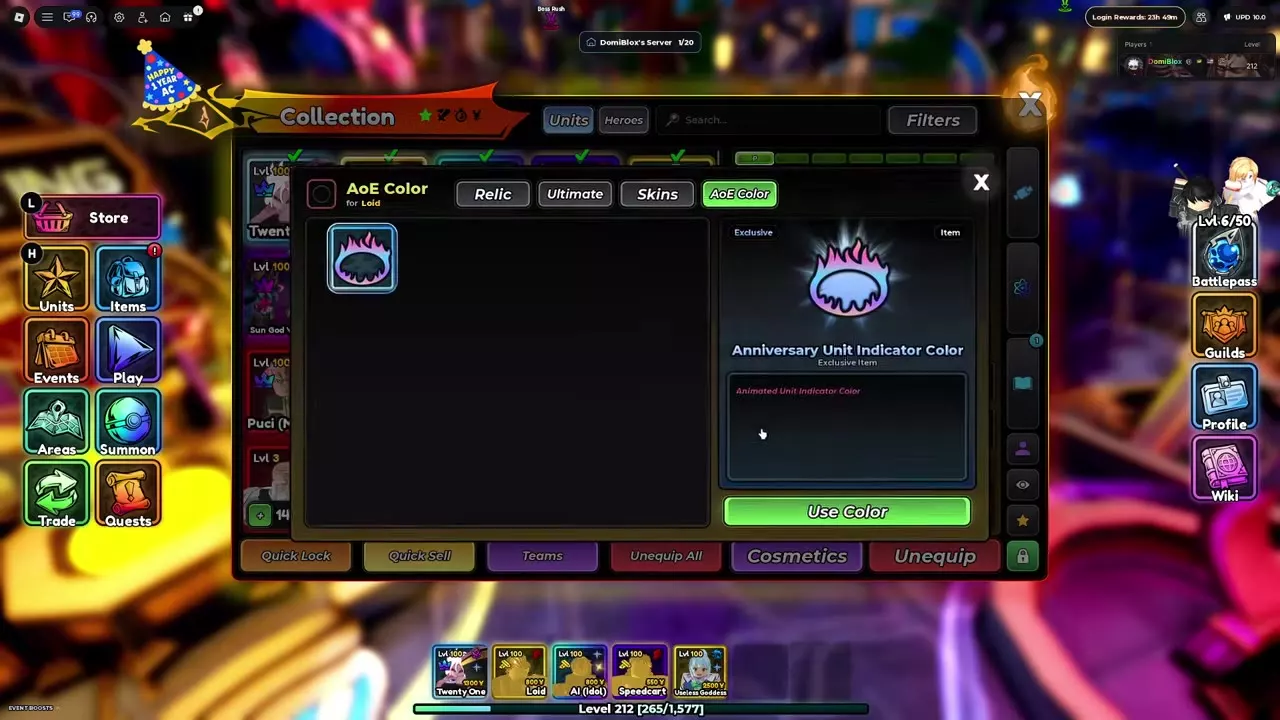
Unit Indicator Colors change the color of a unit's range circle; the Anniversary color has an animated gradient. One owned color can be used across multiple units.
Cosmetic directory
Compare each skin's compatible character and source with the available range-circle colors. Expand a name for its full details and conditions.
Unit skins and indicator colors with their acquisition routes.
5 objects
|
|
Exclusive | The One Bundle | Eskanoor | — |
|---|---|---|---|---|
|
An exclusive limited-edition skin for Eskanoor, obtained only through The One Bundle.
|
||||
|
|
Exclusive | Assault Bundle | Mely (Assault) | — |
|
An exclusive skin for Mely (Assault), included in Assault Bundle.
|
||||
|
|
— | The One Bundle | — | — |
|
A unit indicator color included in The One Bundle.
|
||||
|
|
Exclusive | Anniversary Bundle | — | Yes |
|
An exclusive animated unit indicator color included in Anniversary Bundle.
|
||||
|
|
— | Anniversary Hunt | — | — |
|
A rare unit indicator color dropped by Anniversary enemies during Anniversary Hunt.
TipsDefeat party-hat Anniversary enemies outside Testing Zone for the 0.1% indicator-color drop chance. The event stops spawning those enemies after 100 daily defeats and runs until Update 11. |
||||
Equip and share a look
Equip a cosmetic
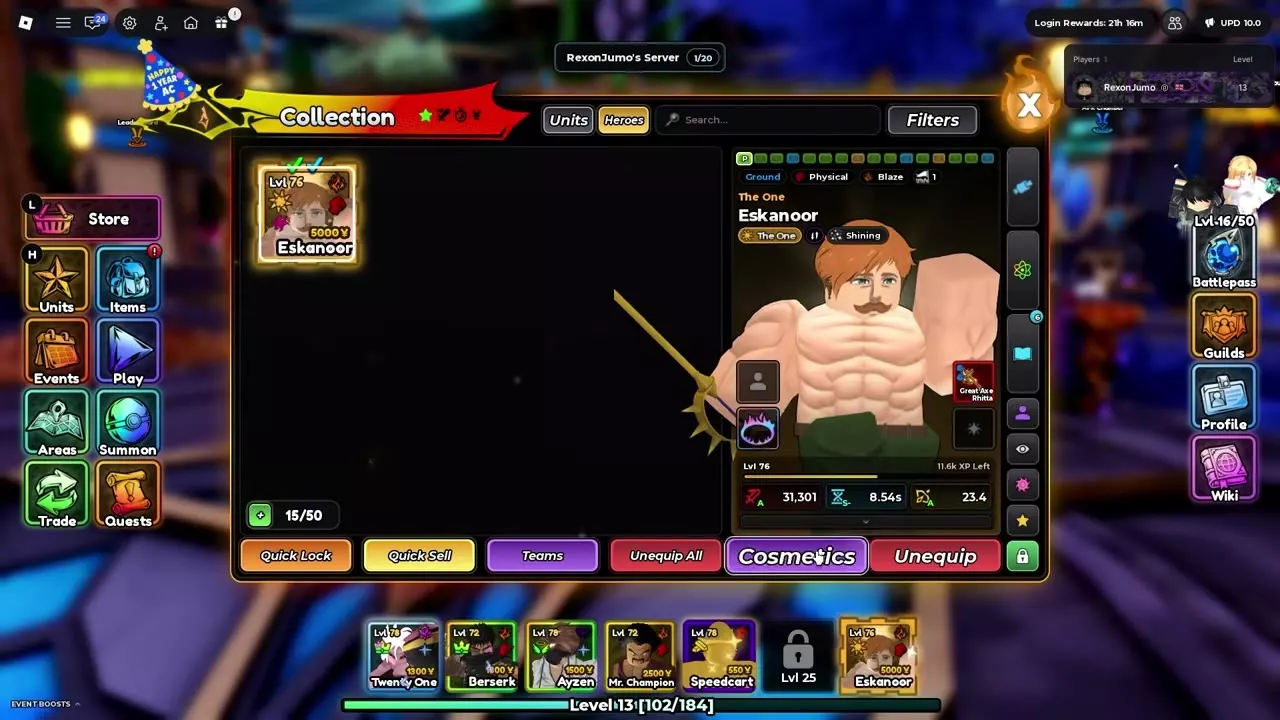
- Open Collection and select the character. For Eskanoor, select the Heroes tab first.
- Press Cosmetics, browse the available categories, and preview your choice. Categories include Outfit, Aura, Stand, Unique, Animation, and Transform.
- Equip an owned, compatible cosmetic. The game displays Cosmetics equipped after it is applied. You can also use the quick cosmetic button to wear a skin as a cosmetic.
Share an outfit
In Cosmetics, copy your outfit code to share the look, or import a code to apply a shared outfit. To copy another player directly, open their Quick Profile and select Copy Look.
Apply an indicator color
Select a unit in Collection and open AoE Color. Choose an owned color and press Use Color for that unit, or Equip to Team to apply it to your team.
Emotes, profiles and display order
Hold the Emote Wheel key and choose an emote to preview it before use. You can also open Shops → Emote Shop to preview emotes on your avatar. The Emotes, Titles, and Style customization menus each have a search bar and a large preview.
Click a name in the player list to open that player's profile. Use the showcase picker to choose a showcase, and arrange pets in the hotbar to set their following order.
Bundles and Anniversary Hunt
The One Bundle includes Eskanoor (Night) and The One Unit Indicator Color; Assault Bundle includes Mely (Knight). The Anniversary Bundle contains one animated Anniversary Unit Indicator Color and can be redeemed once per player. See Items and Materials for the bundles and their other contents.
For the Celebration color, defeat party-hat Anniversary enemies outside Testing Zone during Anniversary Hunt. Each defeat has a 0.1% chance to drop the color. Anniversary enemies stop spawning after 100 daily defeats and return after the daily reset; the event runs until Update 11. See Events and Weekly Bonuses for the hunt's other rewards.