Anime Crusaders X Guilds and Crusader Hunt
Use the Guilds menu to check your members, access guild settings and enter guild events.
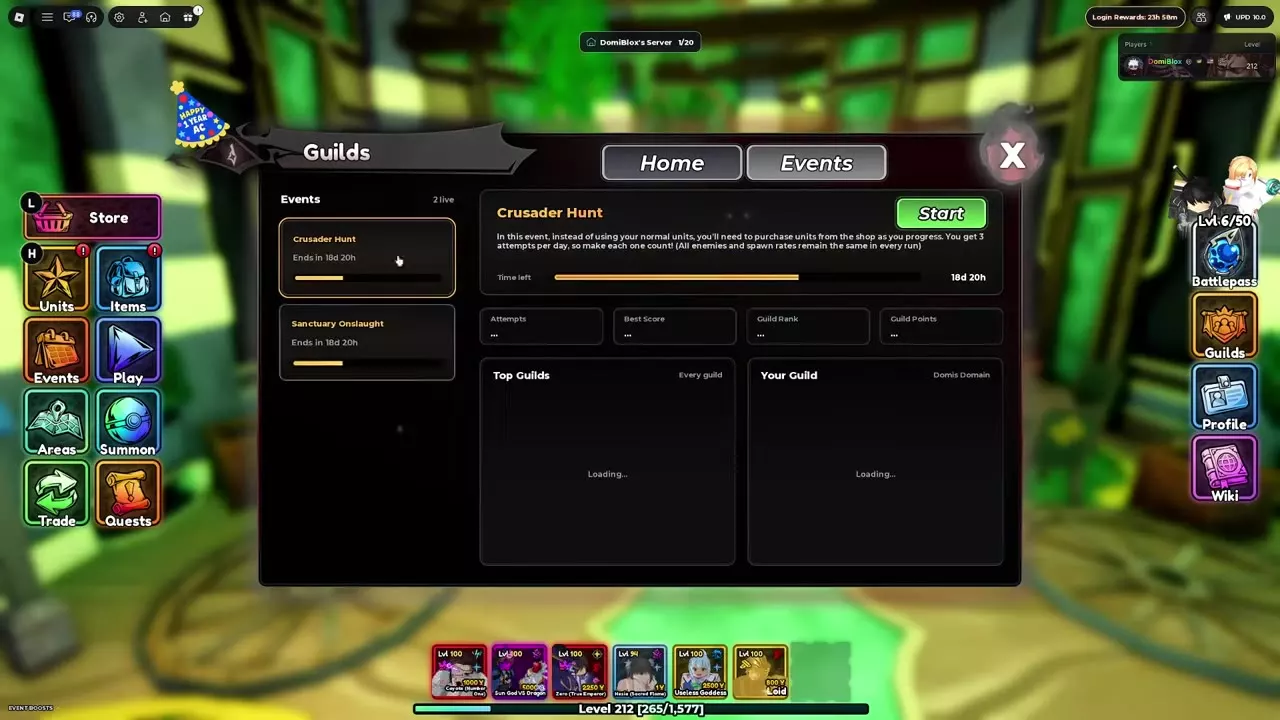
Open Guilds and choose Home for member information and settings, or Events for Crusader Hunt. While Crusader Hunt is active, you get three attempts per day and buy units from its shop as you progress.
Guild Home and Events
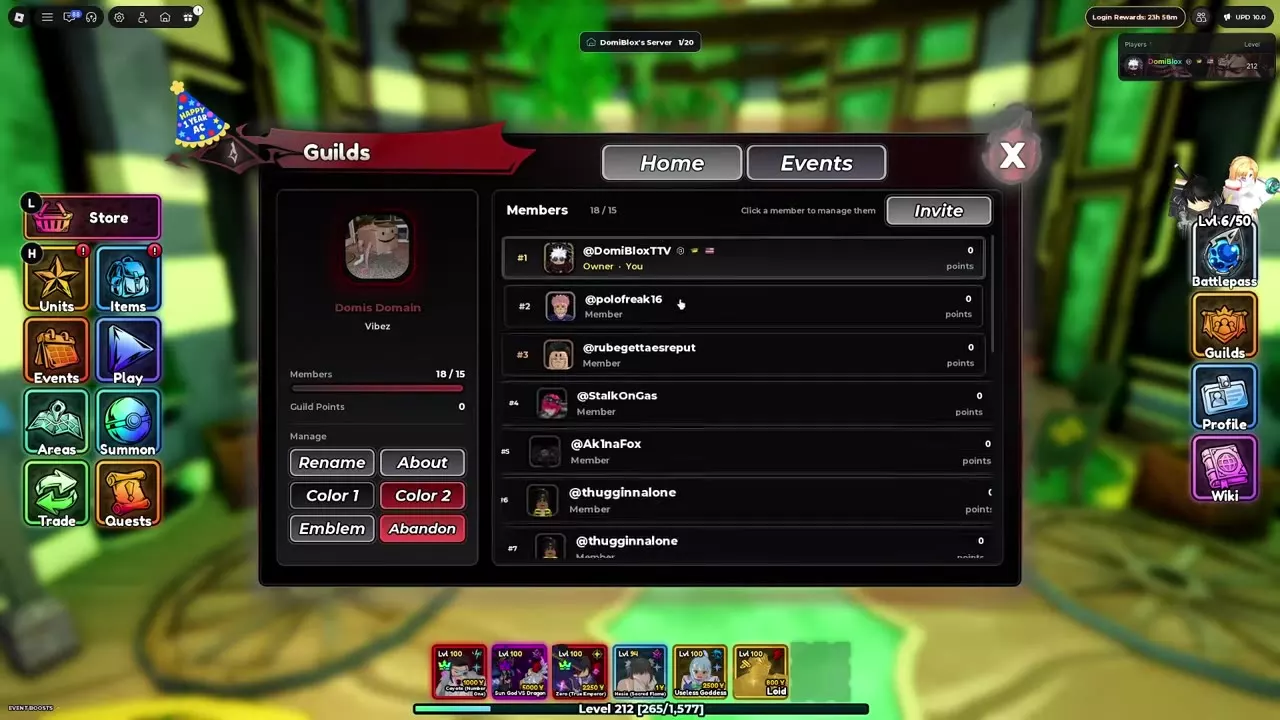
Open Guilds and select Home to see your guild name, member count and Guild Points. Scroll through the member list to see each member's role and individual points. Select Events to browse guild activities.
DomiBlox recommends treating guild participation as an optional source of extra rewards while continuing your other progression.
Member and customization controls
On Home, click a member in the list to open member management. Invite sits above the list; the guild panel also provides Rename, About, Color 1, Color 2, Emblem and Abandon controls.
Crusader Hunt
While Crusader Hunt is active, you have three attempts per day. You cannot use your regular units in this event; buy units from the event shop as you progress. The enemies and their spawn rates stay the same across attempts.
- Open Guilds, select Events, and choose Crusader Hunt.
- Check the remaining event time, Attempts, Best Score, Guild Rank and Guild Points on the event panel.
- Press Start and buy units from the event shop as you progress.
Guild standings and other activities
Use Top Guilds and Your Guild on the Crusader Hunt panel to view guild standings. The Events list also includes Sanctuary Onslaught, with its remaining time displayed on its entry.
Lobby services and progression
Find the Guilds building and other services in the lobby locations guide. For a route through your early team and story progression, see the beginner progression guide.