
Anime Crusaders X NPC Locations and Lobby Areas
Find lobby destinations, NPC services and server controls in Anime Crusaders X.
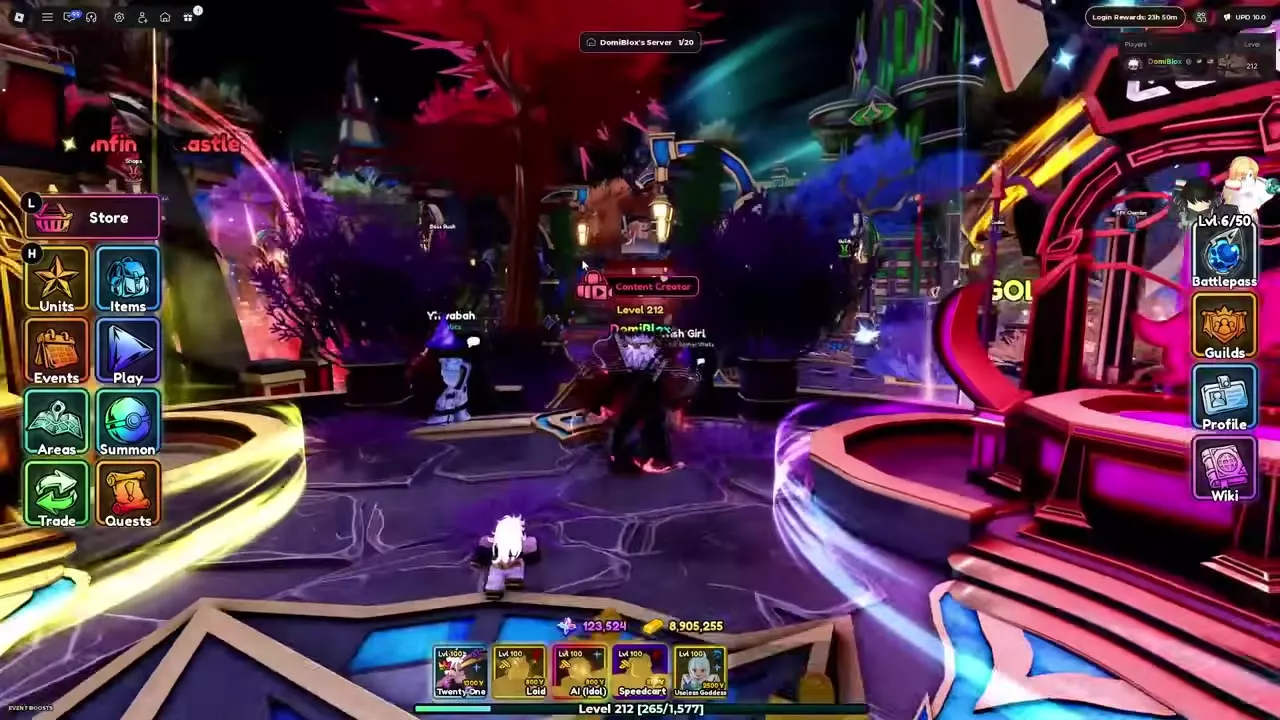
Open Areas to travel to a destination such as Enhancements, Raids or Leaderboards. Find Yhwabah near Crafting and Escanor behind the counter in the green room. Use Custom Servers to share a code or control who can join.
Areas and lobby destinations
Open Areas, filter the destination cards by All, Battle, Units, Compete or Other, and select a card to travel there. Star a destination to pin it to the top.
| Destination | What to find |
|---|---|
| Summon | Summoning |
| Enhancements | Unit development facilities |
| Lobby Center | Near spawn |
| Raids | Raids entrance |
| Infinity Castle | Castle portal |
| Boss Rush | Boss Rush entrance |
| Leaderboards | Rankings and emotes |
| Guilds | Guild area |
| AFK Chamber | Time-machine area |
| All Shops | Shop directory |
Choose Enhancements for Curses, Traits, Potential, Relics and Evolve. Walk into the corresponding stand to open its service. Trait Reroll, Evolve and Stat Reroll stand beside one another, with Crafting also in the area.
Enter the building marked Guilds for the guild area, or walk into the Infinity Castle portal to start a run. The Shops sign opens the unified Shops window. NPCs with something for you display an exclamation mark; falling off the lobby map returns you to spawn.
NPC service reference
| NPC | Location | Service |
|---|---|---|
| Yhwabah | Near Crafting | Relics |
| Escanor | Green room counter | Trials |
| Mely | Lobby | Kitchen Madness |
| Navi | Lobby | Bounty Board |
| King | Lobby | Collection Index |
| Zero | Lobby | Unit voting |
| Ayzen | Beside Boss Rush teleport | Boss Rush |
| Wish Girl | Lobby | Potential and Shiny transfer |
| Gilgamesh | Leaderboard ring | Leaderboards & Emotes |
| Nagu | SHOP counter | Shop |
Talk to Yhwabah and choose Craft to open the Relics menu, which has Forge and Reroll tabs. Approach Escanor behind the green room counter, use the E prompt and choose Trials. For King, choose Open Index. The leaderboard boards form a ring, with each board's first-place player displayed in front.
Play and stage previews
- Open Play and choose a mode and stage.
- Invite players if you want a group, then press Start.
- Use Change Map or Change Mode on the same screen to change your selection.
You can inspect locked worlds and acts before entering them. A locked act preview shows its boss and drops; stage information also includes drop chances and clear rewards.
Events and Challenges are available through Play in the lobby and in matches. In a match, the Play button is available before the match starts and after it ends. Hover over the Challenges tile to see the active challenges. Standing in the lobby's Raids circle opens Play on the Raids page; Boss Rush and Boss Lair have their own pages. For a full testing match, choose Other → Testing Zone.
Custom Servers and Join Friend
Every player has a Custom Server with a shareable code.
- Open Custom Servers → My Server and copy the code to share it. Select New Code to create a new one, or Go to My Server to enter your server.
- Set Who can join to Everyone, Friends or Invite Only. With Everyone selected, anyone with the code can join.
- Use Invite to send a direct invitation or Join to enter another server.
The interface also has Browse and Players tabs. Adjust Max players with the −1, +1, −5 and +5 buttons; the owner and co-hosts can always join. An offline Custom Server starts when someone joins, and players return to that server after a match started from it.
To join a friend's current activity, open Join Friend, enter their name, inspect their activity and select join.
Services and walkthroughs
- Trait rerolls cover slots, protection and pity at the Traits service.
- Stat Potential and transfers explain stat rerolls, Worthiness and transfers.
- Crafting and Multi Craft cover recipes and batch crafting.
- Shops and currencies identify shop categories and the currencies they use.
- Trials compare the lobby trial entrances and rewards.
- Bounties and Blank Tokens explain Navi's board and its rewards.