Anime Crusaders X Macro Discord Webhook Setup
Connect the Anime Crusaders X Macro to a Discord channel to receive run results, rare-drop alerts, and recovery notifications.
Create or select a Discord channel webhook, copy its URL into Macro > Webhook > Connection, and enable Use webhook. Send a test, then choose which events, rare drops, and mentions you want.
Prepare a Discord channel webhook
You need access to the receiving channel's webhook settings.
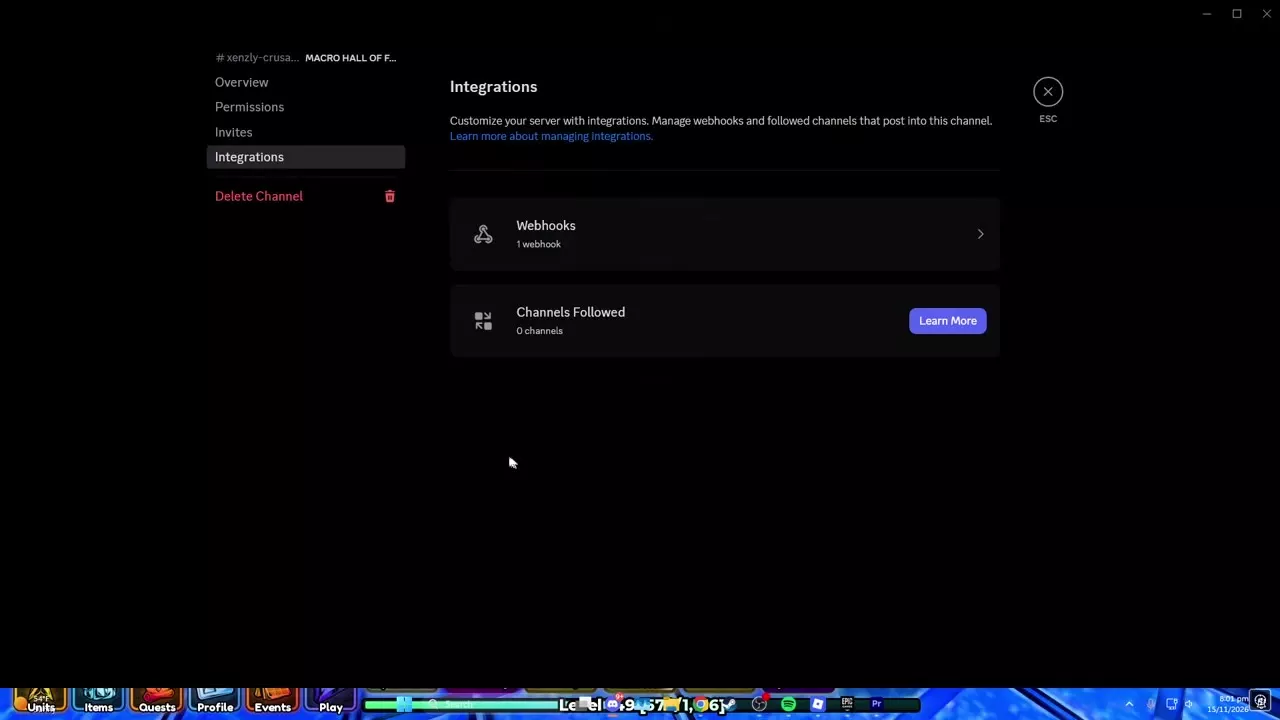
- In Discord, open the channel's Edit Channel settings.
- Select Integrations > Webhooks.
- Choose New Webhook or open an existing webhook.
- Set its Name and receiving Channel, then select Copy Webhook URL. You can also set an avatar.
Connect and send a test
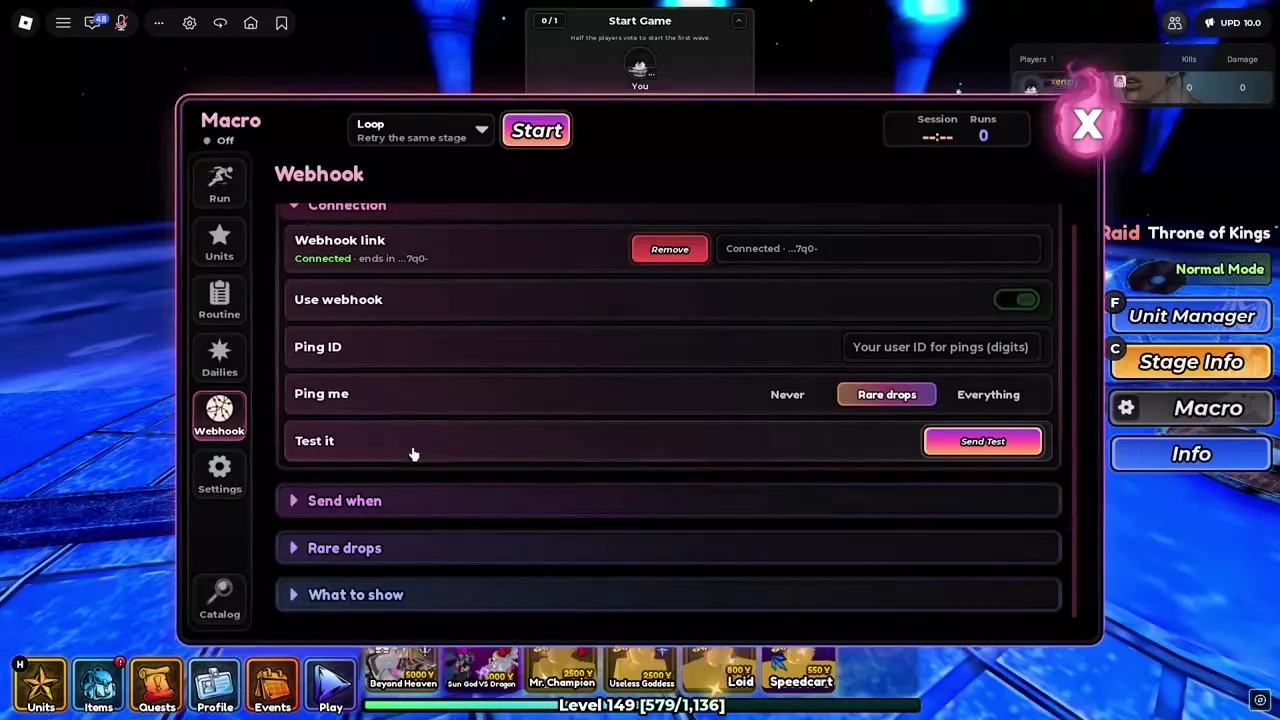
- In Anime Crusaders X, open Macro > Webhook > Connection.
- Paste the copied URL into Webhook link and press Enter.
- Enable Use webhook and check that the link says Connected.
- To receive mentions, enter your numeric Discord user ID in Ping ID and set Ping me to Never, Rare drops, or Everything.
- Select Send Test, then check the receiving Discord channel for Test Message and your mention if configured.
Select Remove to disconnect the saved link.
Choose events and rare-drop thresholds
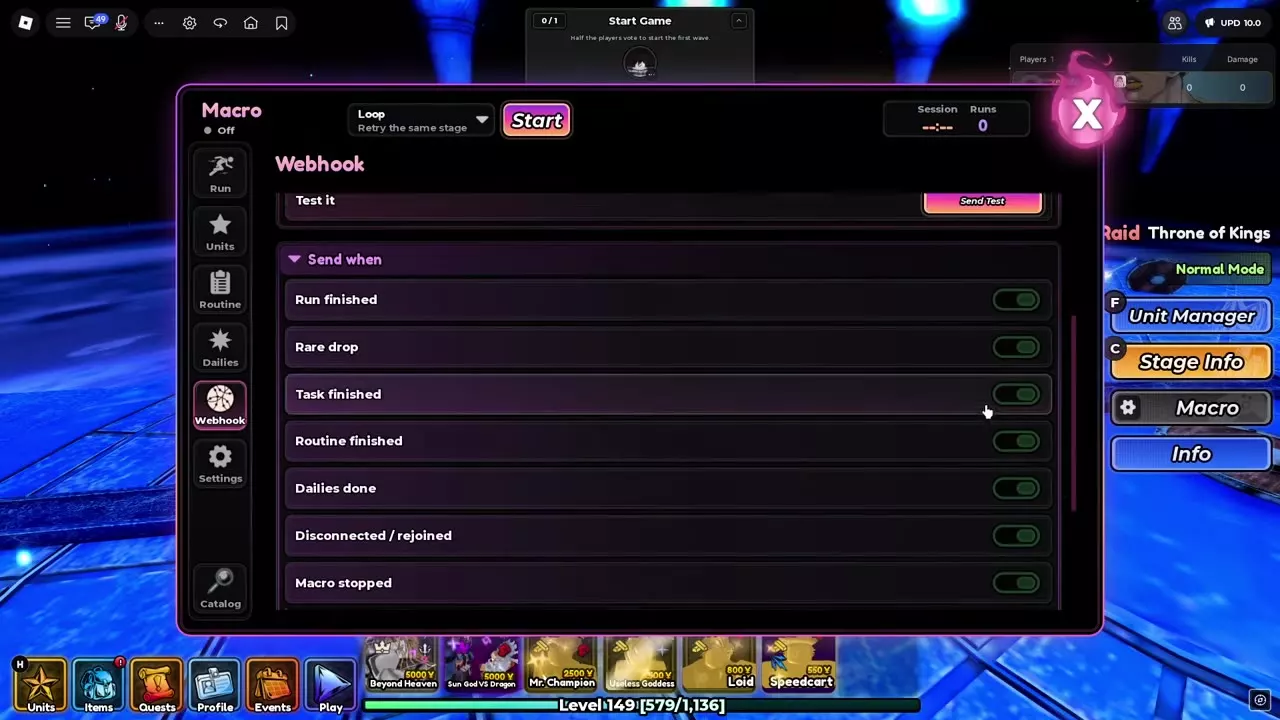
Expand Send when and turn on the events you want in Discord:
- Run finished
- Rare drop
- Task finished
- Routine finished
- Dailies done
- Disconnected / rejoined
- Macro stopped
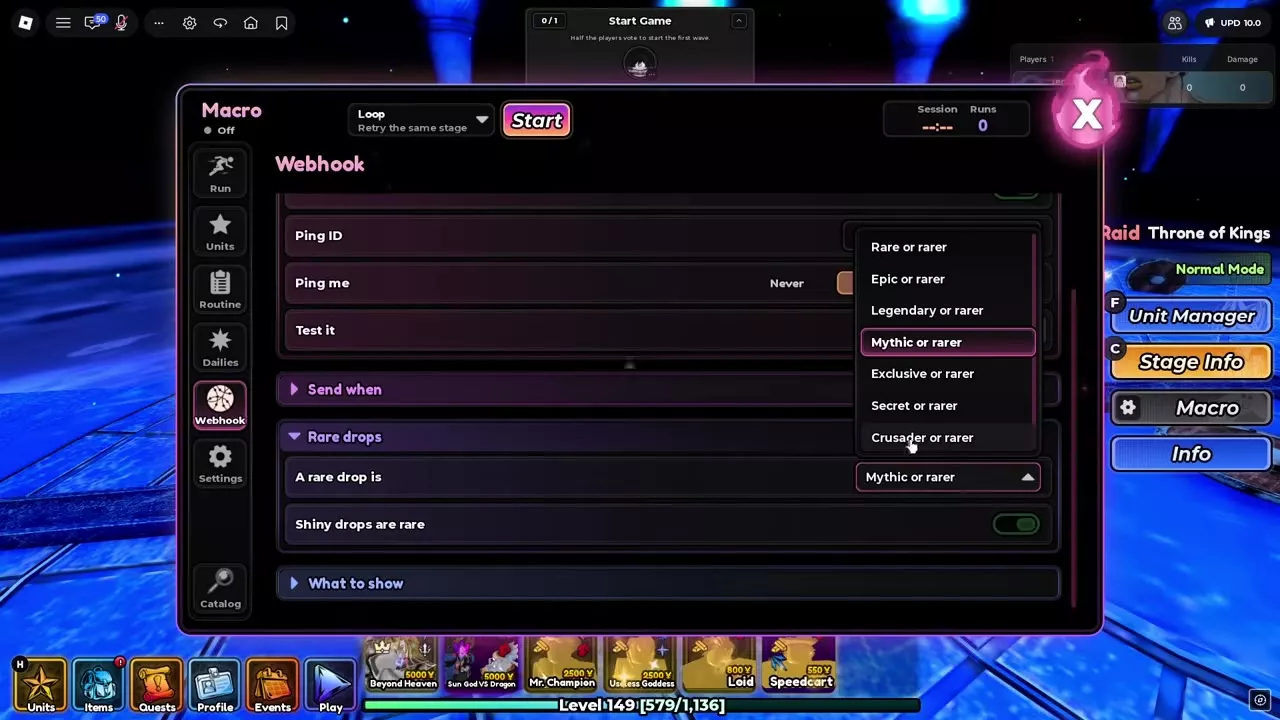
Expand Rare drops and set A rare drop is to one of these thresholds: Rare or rarer, Epic or rarer, Legendary or rarer, Mythic or rarer, Exclusive or rarer, Secret or rarer, or Crusader or rarer. Enable Shiny drops are rare to classify Shiny drops as rare.
For example, when targeting a Crusader such as Einz, choose Crusader or rarer and set Ping me to Rare drops to request a mention for that threshold. Event switches and the mention preference are separate: select Never for messages without mentions, or Everything for mentions on all selected events.
Secret pity tokens do not count as rare drops for webhook alerts or Stop on Rare.
Read run and recovery notifications
Expand What to show to choose message statistics, including Time Elapsed, Match Duration, Results, Total Runs, and Daily Runs. Time elapsed measures the session, while match duration describes an individual run.
A Run Finished message can include the stage, difficulty, result, wave reached, wins and losses, total runs, next-reset countdown, and drops. A Rare Drop message identifies the drop and stage alongside elapsed time and total runs. Macro Stopped and session summaries can include wins, losses, total runs, and Best Drops; a manual stop is identified as a user stop.
A Server Closed notification identifies a server update or restart and the Macro's return through the lobby. Rejoined (AFK protection) reports a move to a fresh server and continuation of the Macro.
Macro run settings
For stage selection, unit placement, routines, and recovery settings, see the Anime Crusaders X built-in Macro guide.