
Anime Crusaders X Relic Guide: Forge, Equip and Reroll
Build a relic setup for your units by choosing compatible equipment, forging copies and rerolling their attributes.
Forge relics at Yhwabah with Gold and Air Stones, equip each relic in its matching slot on an eligible unit, and spend Relic Cubes to reroll. Set a grade filter before using Auto Roll to stop on a desired result.
Compatibility and equipment slots
Each unit has a regular Relic slot and a separate Ultimate slot. A relic must also match its unit restriction. You can change equipment inside a match before the match starts.
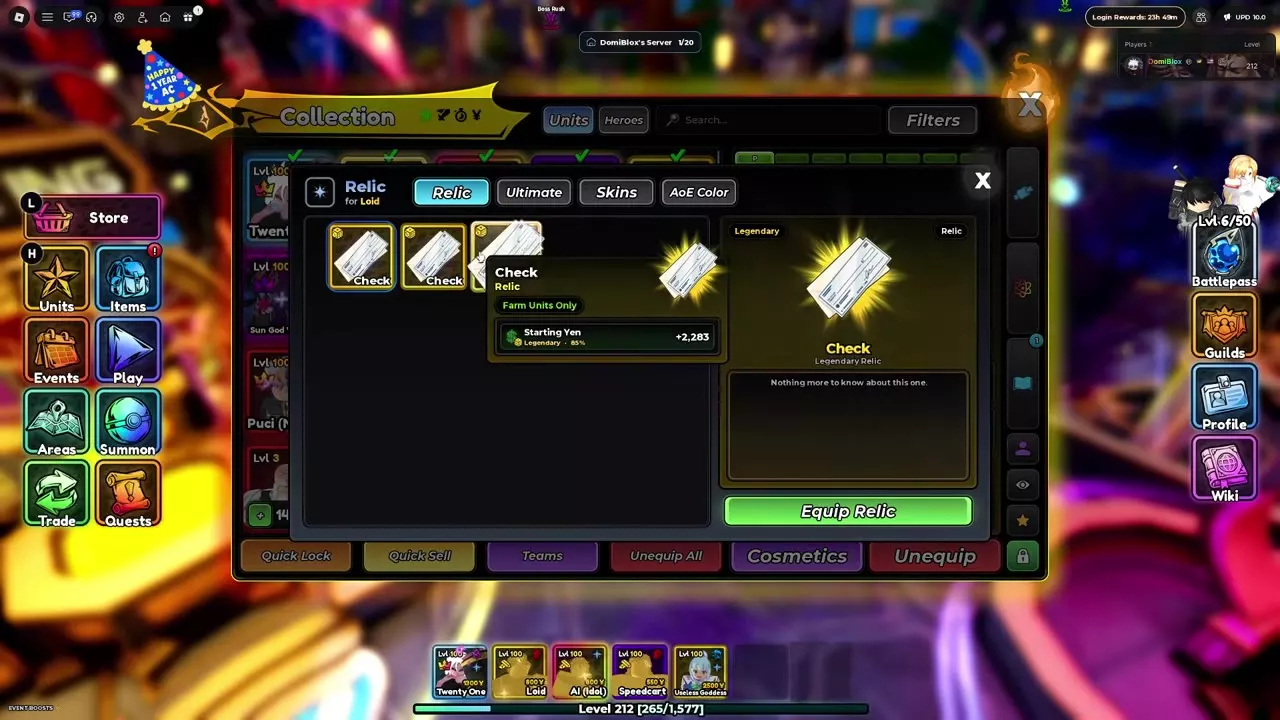
Check is restricted to Farm units: Loid and Speedcart can equip it, while AI (Idol), whose tags are Buff and Magic, cannot. Great Axe Rhitta is restricted to Blaze units; eligible units include Berserk, Mr. Champion, Phoenix and Eskanoor. The equipment picker shows eligible units for a selected relic.
Reroll grades and stop filters
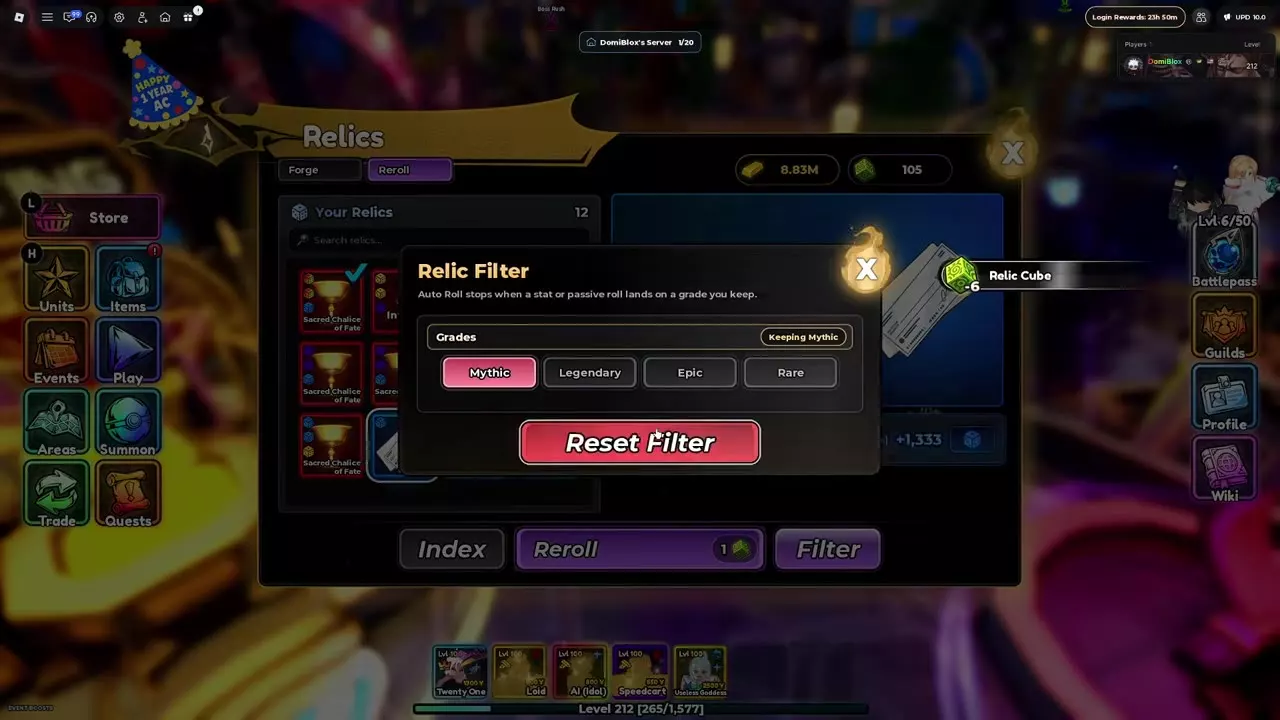
Open Relics → Reroll and select an owned relic. Press Reroll to generate new attributes for 1 Relic Cube per roll.
For automatic rolls, open Filter and select the grades you want to keep, then use Auto Roll. It stops when a stat or passive reaches a selected grade; one matching result is enough, so inspect the other attributes before deciding whether to roll again. Reset Filter clears the selected grades.
Read the grade and percentage
Open Index in the Relics menu to see the grade bands. Each attribute rolls independently, and its percentage describes its position within that attribute’s own range: 0% is the minimum and 100% is the maximum.
| Grade | Roll position | Grade chance |
|---|---|---|
| Rare | 0–49% | 75% |
| Epic | 50–74% | 20% |
| Legendary | 75–89% | 4% |
| Mythic | 90–100% | 1% |
The roll position is separate from the chance of receiving the grade. For example, a Check with +2,282 Starting Yen at an 85% position is Legendary; the 4% figure is the Legendary grade chance. Compare the actual values when choosing between copies, since percentages for different attributes refer to different ranges.
Forge relics at Yhwabah
- Talk to Yhwabah in the lobby and continue the dialogue to open Relics.
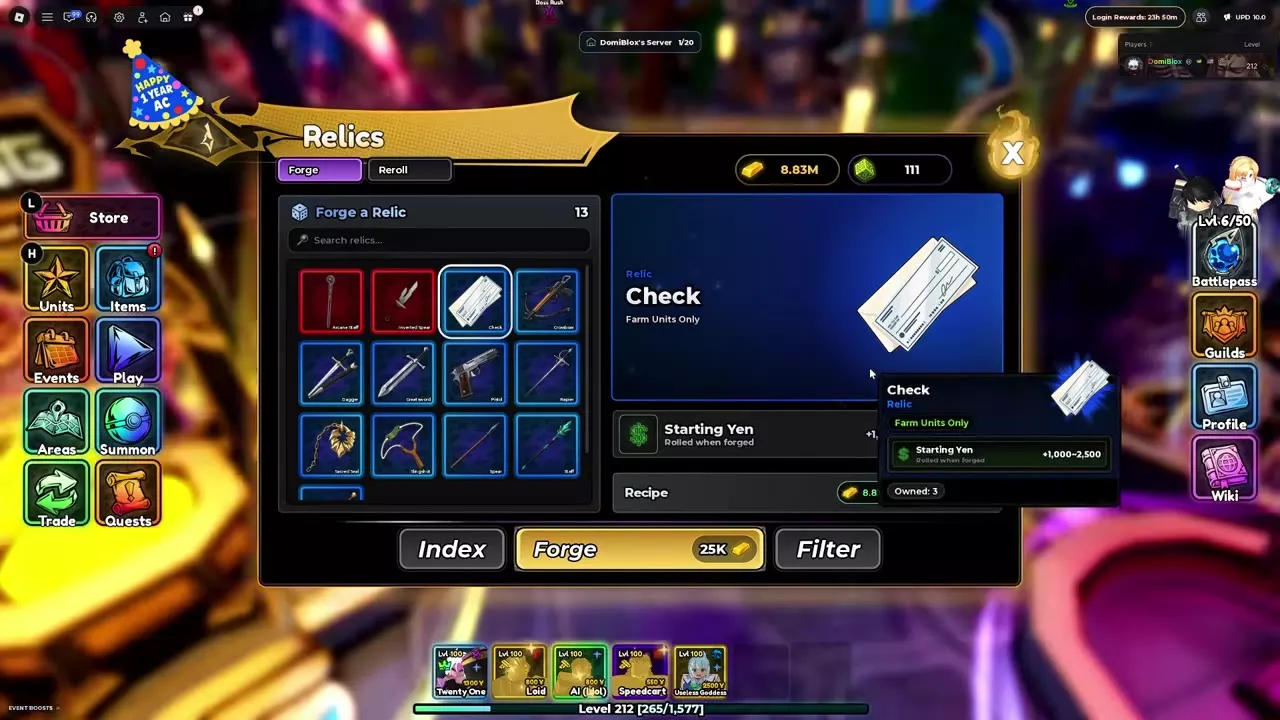
- Open Forge, then search for or select a relic. Read its unit restriction, attribute ranges, passive and recipe.
- Gather the listed Gold and materials, then press Forge. The relic enters your inventory with randomly generated attributes.
| Recipe | Gold per copy | Air Stones per copy |
|---|---|---|
| Regular relic | 25,000 | 30 |
| Arcane Staff | 75,000 | 50 |
| Inverted Spear | 75,000 | 50 |
Each copy requires the full recipe. For example, three Checks cost 75,000 Gold and 90 Air Stones before any rerolls. Great Axe Rhitta has a separate acquisition recipe.
Equip, move and unequip
Equip a relic
- Open Units → Collection and select your unit.
- Open its equipment options and choose Relic or Ultimate, matching the equipment you want to use.
- Select the relic and press Equip Relic.
You can also open Items → Relics, select a relic and press Equip Relic to choose an eligible unit.
Move or remove a relic
To transfer an equipped relic, open the destination unit’s matching slot, select the relic and press Move Relic Here. For example, Inverted Spear can be moved from Sun Woo (System) to Eskanoor through Eskanoor’s Ultimate tab. The transfer displays Relic Unequipped, after which Inverted Spear is listed on Eskanoor’s equipment panel.
To remove a relic, select it under Items → Relics and press Unequip Relic.
Equipment messages
If you see “Damage types don't match,” read the relic’s restriction and select a unit that meets it. For Check, choose a Farm unit such as Loid or Speedcart.
The anniversary update fixed relics failing to equip on team units and relic issues on traded units. For the specific relic issue addressed on April 23, 2026, the prescribed action was to enter a private server and unequip the affected relic.
Relic choices and materials
Compare restrictions, attributes and passives in the relic directory. For crafting and reroll supplies, see items and materials and the resource farming routes.